





Documentation
A/B Roots
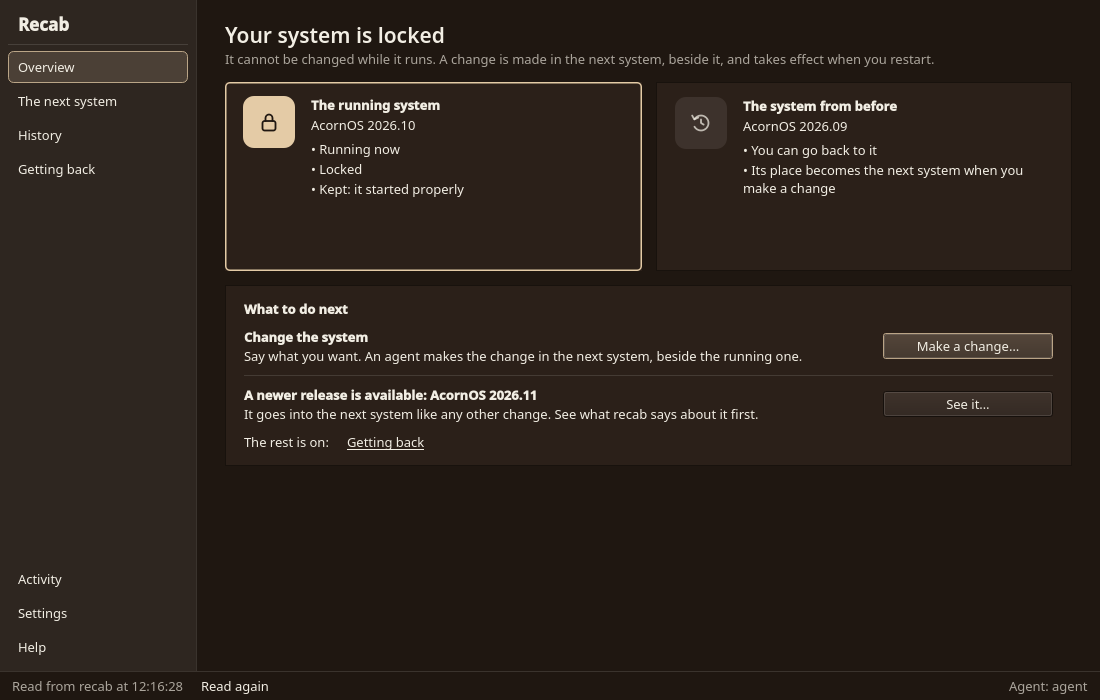
An A/B installation has two root filesystems, A and B. The booted root is locked. The other root is unlocked, and system changes are made there. Boot the other root and the roles swap.
Two Roots
Installation sets up root A and makes root B a copy of it. Both are bootable at first use, and A is the boot default.
- Booted root: locked. It is mounted read-only and its block device is read-only.
- Other root: unlocked. It is writable, mounted read-write at
/run/recab/other. - Shared /var: a third, writable partition shared by both roots.
- EFI partition: the boot loader, one boot entry per root, and each root's kernel and initramfs.
Which root is locked follows only from which root booted. Boot B and B is locked and A is unlocked. Boot A and it reverses.
How a Change Lands
- Run
recab statusto see which root is booted and which is the other. - Write the change into the other root. Recipe writes system software there; the booted root is never written to.
- Run
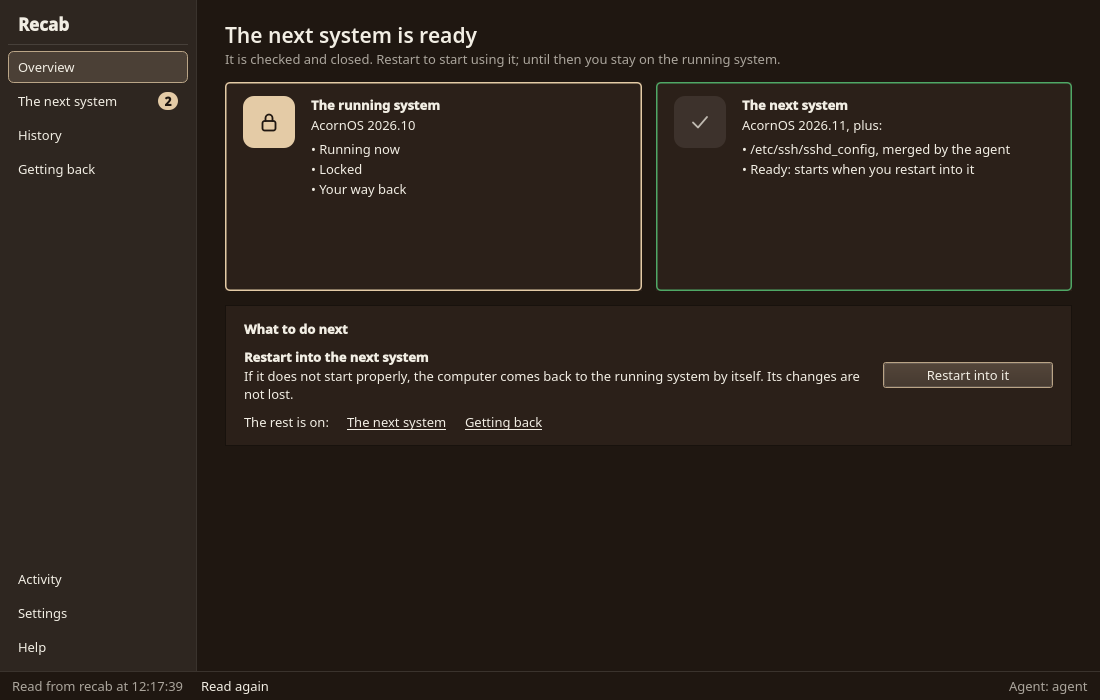
recab boot-otherand reboot. The other root starts once. - If it finishes starting, it becomes the boot default and the roles are swapped: the root you came from is now the unlocked one.
- If it does not finish starting, the next boot starts the previous root again.
To start over from the running system, run recab copy. It overwrites the other root with a copy of the booted root, so changes start from the current working system. Anything written into the other root before is gone.
Updating the System
Updates use the same path. They are written and have not been built or run yet. A release is signed and named 1.0, 1.1 and so on. recab update downloads it, makes the other root a copy of the booted one, lets Recipe apply the release there and starts that root once. A daily check only shows a notice that a release exists; nothing is downloaded or installed until you ask. Mutable installations are updated by the Updater app instead, since they have no other root. Software you installed yourself keeps updating from the Recipe catalog.
The Boot Default
The boot default is the root that last finished starting. Starting the other root is a one-time pick, either from the boot menu or with recab boot-other. A root that does not finish starting leaves the default untouched, so the machine starts the previous root again.
Mutable Mode (Optional)
Mutable mode is one root partition changed in place, chosen explicitly at install time with recpart --mode mutable and recsetup apply --boot mutable. It has no second root, no recab and no A/B.
See Also
See recab for the commands.